
Unlisted
Default. Anyone you send the link to can watch. Search engines are asked not to list it. Good for a teammate or a single customer.
Sharing
Export MP4 stays on your computer and never needs an account. Clicking Share is the first action that uploads — and if you aren’t signed in yet, we’ll ask you to log in or create an account first.
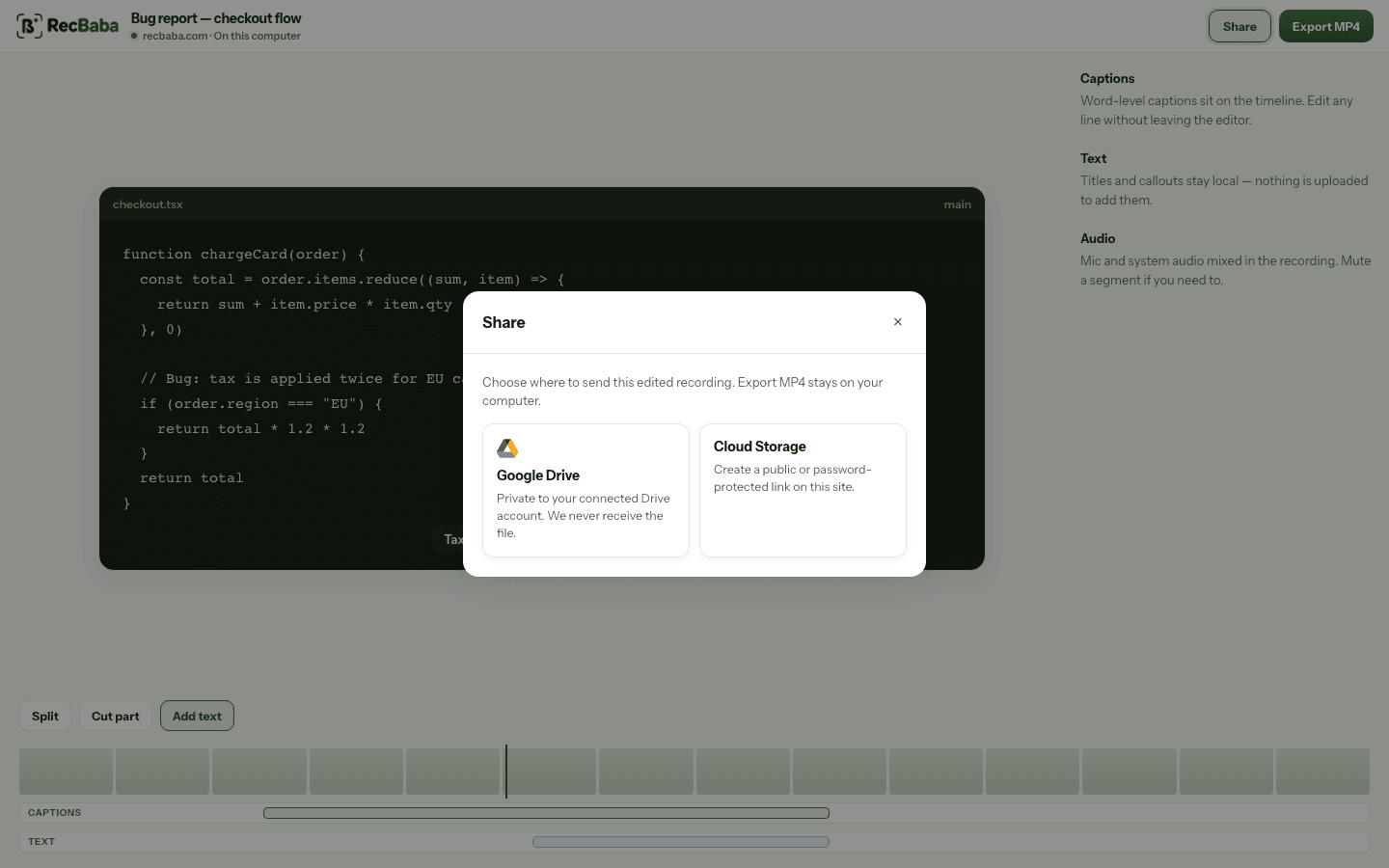
Who can watch
Default. Anyone you send the link to can watch. Search engines are asked not to list it. Good for a teammate or a single customer.
Same private link, plus a password you set (Pro). Use it when the link might get forwarded further than you intended.
Controls
AI on the share
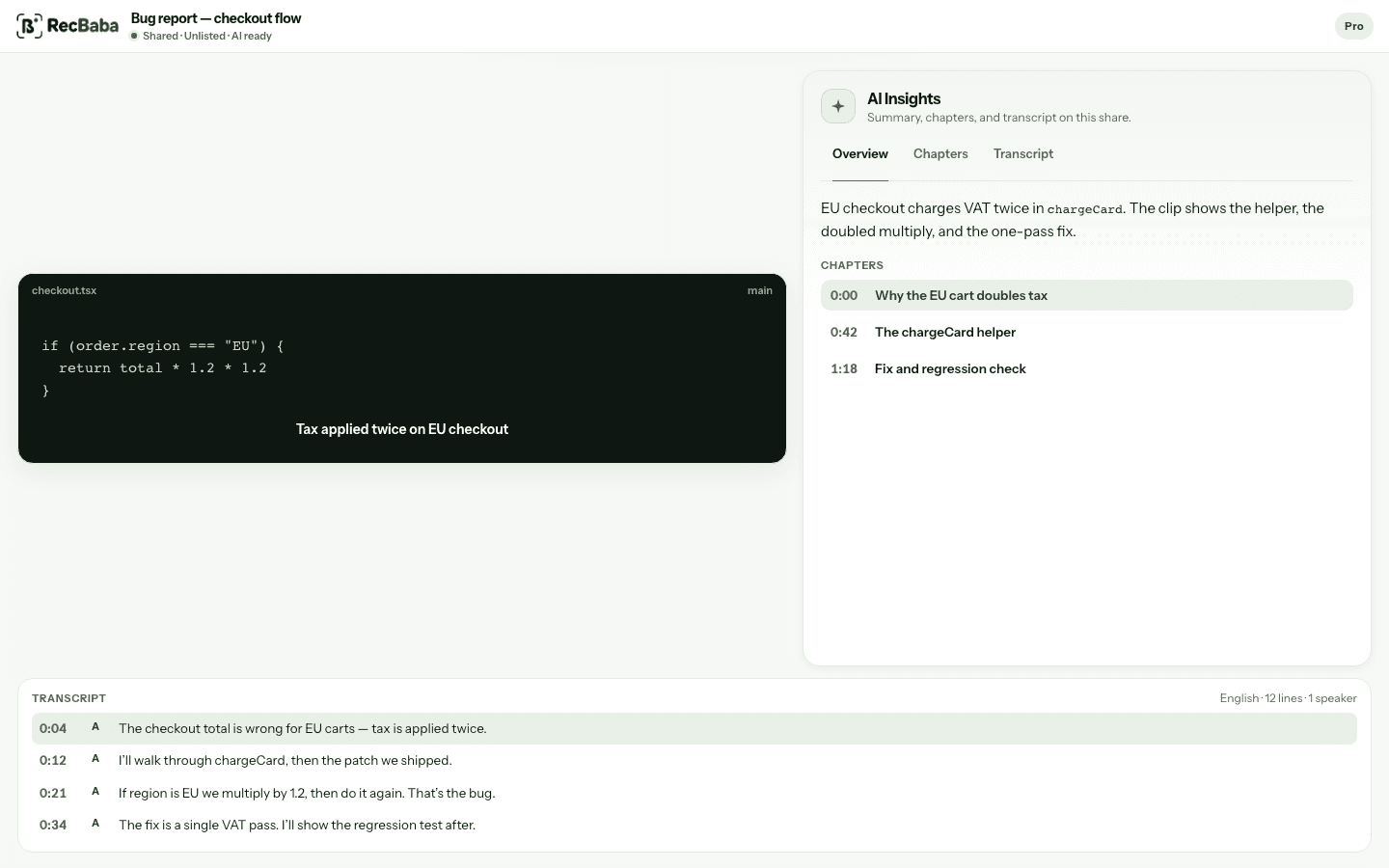
Upload does not auto-queue a transcript. After Share, Generate AI on Pro+ transcribes the file. Summary and chapters are Pro and Max, and they need a ready transcript. Monthly AI minutes: 100 on Pro, 400 on Max.
Overview, chapters, and transcript sit on the share page unless you hide them. Clicking a chapter or line seeks the video. Captions in the editor stay on-device and are a different tool.
Brand kit
Max can apply a share-page studio kit — logo, colors, blocks, and an end-screen CTA. The URL stays recbaba.com/share. Exported files stay unwatermarked.
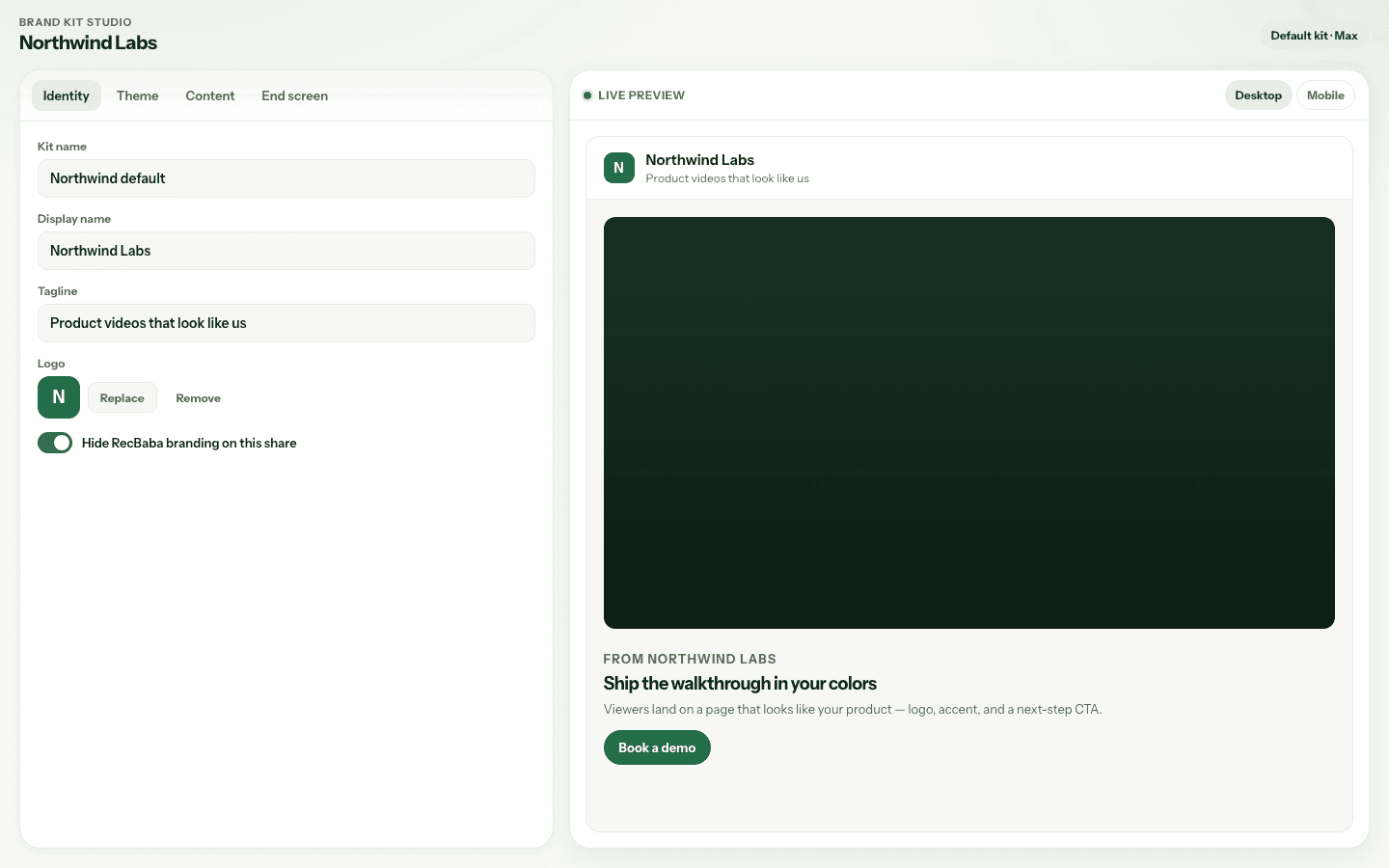
Three kits, one default. Quick Share uses the default. Advanced Share lets you pick a kit. Details live on the Brand Kit page.
What sharing is not
Skip this entire page if a local export is enough. Export MP4 never needs an account.
Sign in to share