Before Brand Kit
RecBaba chrome, RecBaba colors. Fine for an internal bug clip. Thin if the link is the first time a prospect sees your product.
Brand Kit
Max includes a share-page studio: logo, display name, theme, content blocks, and an end-screen CTA. Viewers still watch at recbaba.com/share — the page just wears your brand. Exported MP4s stay unwatermarked.
Why it changes the share
Without a kit, a share is a clean RecBaba page. With a kit, the same unlisted link opens with your lockup, your accent, your next step — so a customer or teammate never wonders whose recording this is.
RecBaba chrome, RecBaba colors. Fine for an internal bug clip. Thin if the link is the first time a prospect sees your product.
Logo, name, and tagline in the header. Accent color on the page. Bio, links, and an end-screen button that sends the viewer where you actually want them.
Pages stay noindex. There is no public directory. Outbound links only — RecBaba does not store contact-form leads from the share page.
Identity
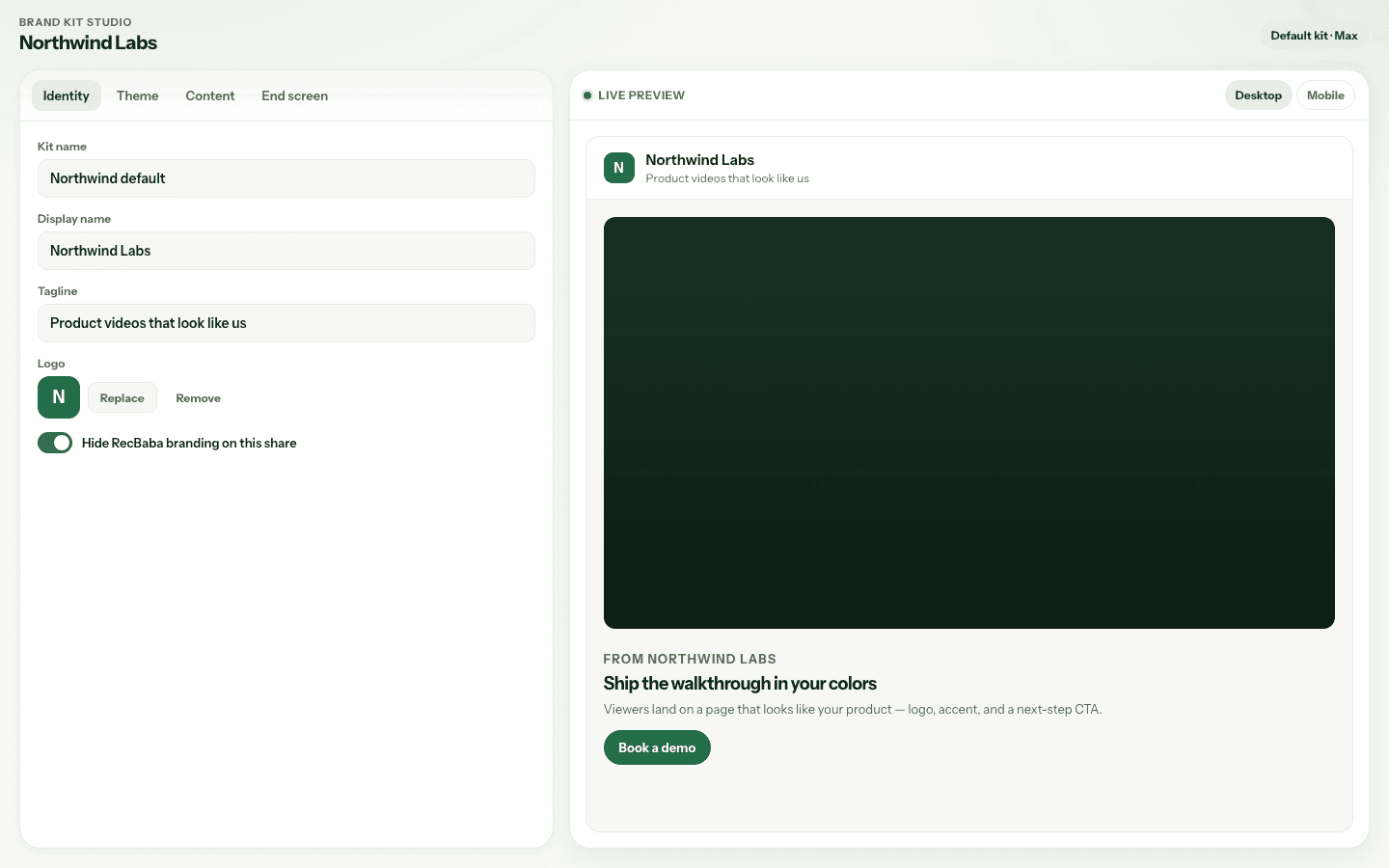
The brand header is always a left lockup: logo, then name and tagline. That is what sits above the video on a branded share.
Kit name is for you. Display name and tagline are for the viewer. Upload a PNG, JPEG, or WebP logo. Optionally hide RecBaba branding on that share.
Theme
Pick the colors and layout the public page uses. Inside a branded share, the kit accent drives buttons and highlights — not RecBaba green unless you choose it.
Set the accent used on CTAs and marks. Fonts are system stacks — no Google Fonts loaded on the public page.
Video-left, video-center, or cinema. The brand header stays a left lockup. The studio preview follows the same rules as a live share.
Content
Brand sections render a kicker, headline, and lead, plus network or service marks. Named socials are one each. Websites may repeat, with an optional title.
One named network each — X, LinkedIn, YouTube, and the rest. They sit as marks, not a raw URL list.
Repeatable title plus href. If you skip the title, the hostname is shown. Useful for docs, pricing, and a booking page at once.
Headline, lead, and service marks for what you actually sell. The share is still a video page — these blocks sit around the recording, not instead of it.
End screen
Turn on an end-screen CTA so a finished viewer is not left on a blank frame. Same accent, same brand, one action.
Studio
The studio is a two-pane workspace. Tabs on the left, a live preview on the right. The preview is container-width, so it stacks the same way a real share does on a narrow pane.
Cap is three kits. One default per account. New shares follow the default when you do not pick another. Quick Share never sends a kit id — the public page still resolves the default on Max. Advanced Share lets you pick a kit.
Plans
Questions
No. Custom share-page branding is Max only. Sending a kit or brand override without Max is rejected — those fields are not silently dropped.
What Brand Kit will not do
Record and export without it. Apply a kit when the link should look like your product.
Open Brand Kit Studio