AI Transcript, Summary, and Chapters After You Share
After a RecBaba Share, generate a transcript on Pro+. Summary and chapters are Pro and Max, metered in AI minutes — not on record or export.
On this page
A private share is easier to watch when the page has a summary, chapter marks, and a searchable transcript. RecBaba will not invent those while you record. Clicking Share uploads the file. Generate AI is a later button. That split is the product: capture stays local; speech-to-text runs only when you ask, on a file you already chose to host.
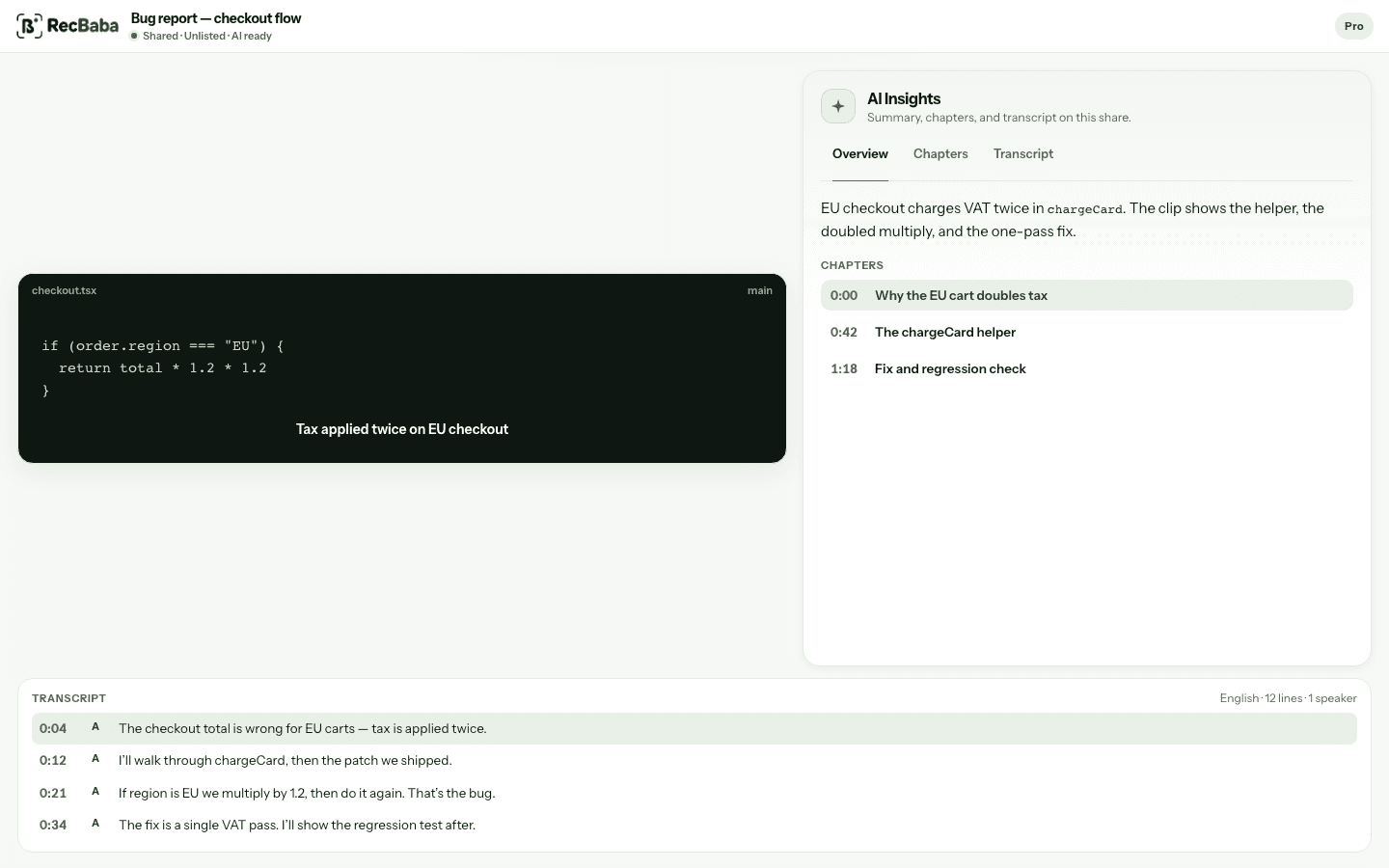
Overview, chapters, and transcript on the share. Clicking a line seeks the video.
What it costs in AI minutes
Both transcript and insights draw from a monthly allowance: 100 minutes on Pro, 400 on Max. Generating a transcript uses the recording length in minutes (minimum one). Summary and chapters each use two minutes. Used minutes are not refunded if a job fails. Camera and Camera Bubble are unrelated — those stay free.
| Artifact | When it runs | Plan |
|---|---|---|
| Transcript | After Share, Generate AI | Pro+ (Cloud Storage) |
| Summary | After a READY transcript | Pro and Max |
| Chapters | After a READY transcript | Pro and Max |
| Editor captions | Local editor, no upload | Pro and Max |
What viewers see
The share page can show Overview, Chapters, and Transcript unless you turn the card off for that link. Viewers can hide it for the session. Chapters and transcript lines seek the video. A ready transcript stays visible to viewers even if the owner later drops to a plan without new AI generation.
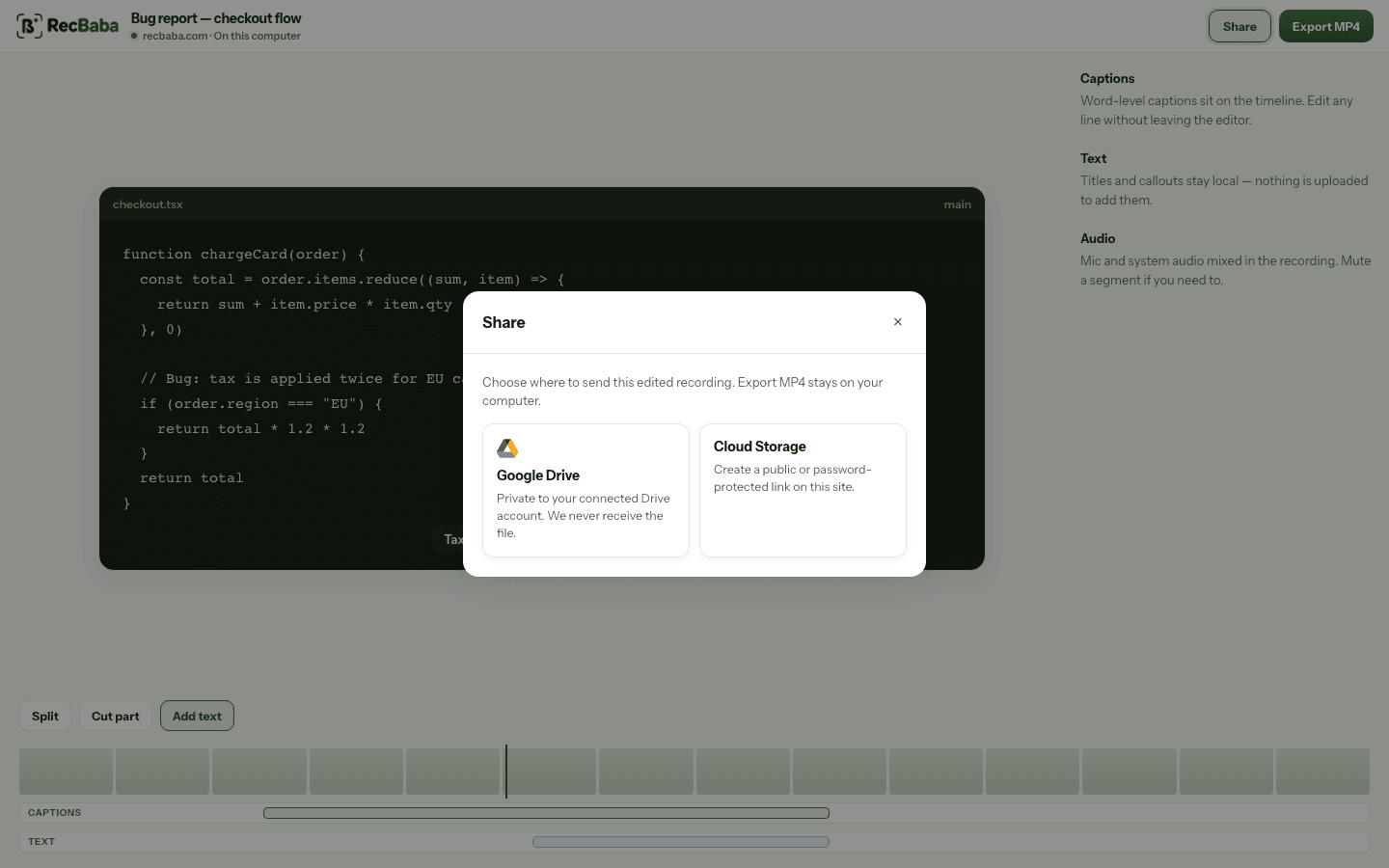
Share is the upload. Generate AI is the next, optional step on that hosted file.
Record the next take locally
4K, mic and system audio, no watermark. The file stays on this computer until you choose to share.
Start recording