Cloud-first tools upload first
Most recorders start an upload the moment you hit stop. That is useful for chat — and a problem if the screen showed a dashboard, a customer, or a password field.
Privacy-first screen recorder
Capture, trim, and export in the browser. Upload is a decision you make later — never a default.
How it works
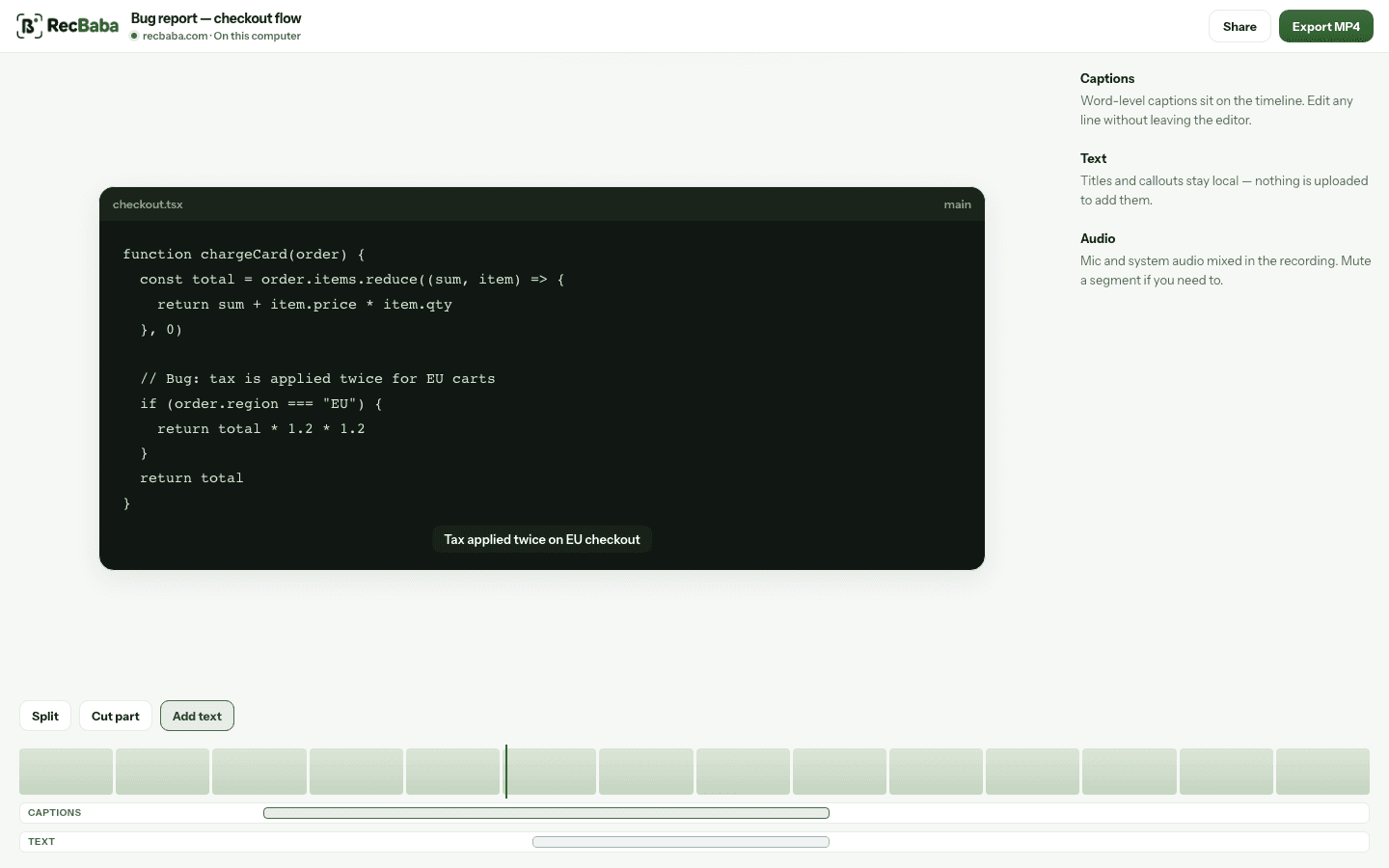
Record and edit stay on your computer. Sharing is the only step that uploads anything — and only if you start it.
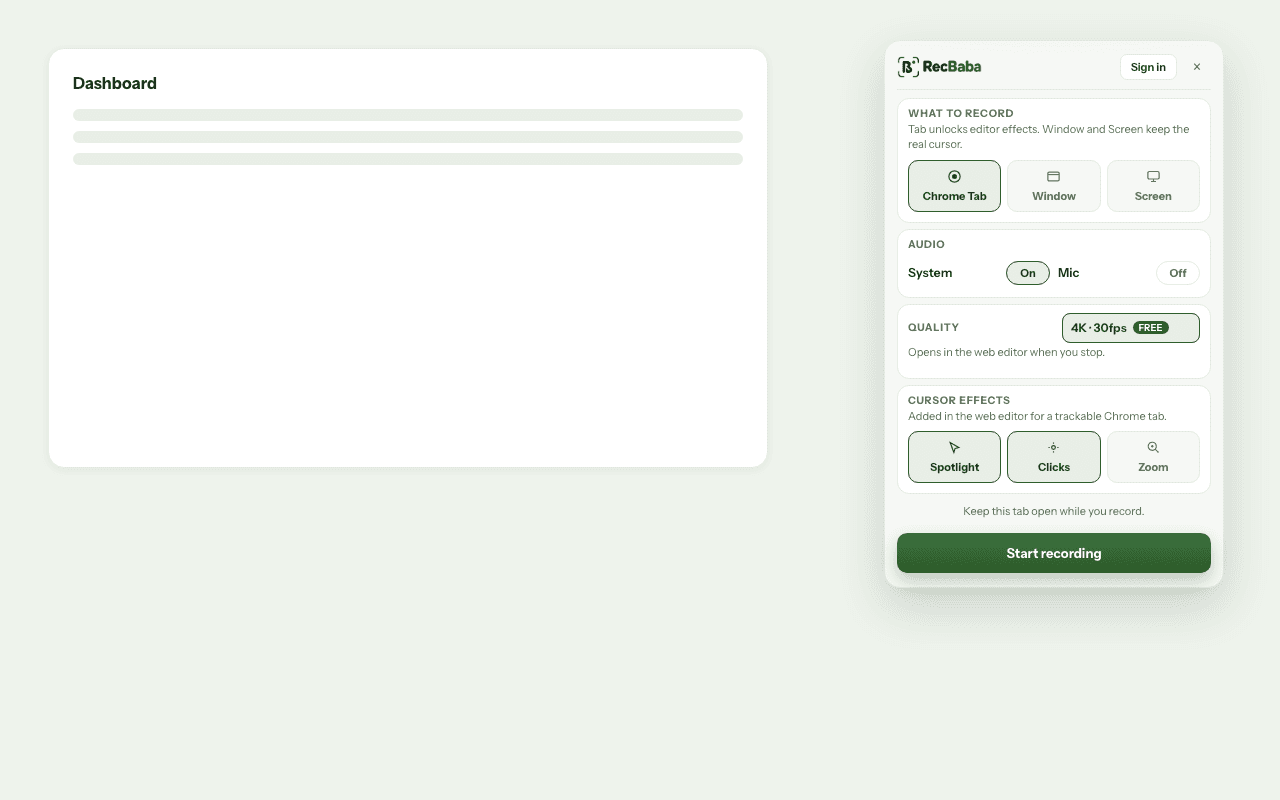
Pick a tab, window, or screen. The overlay stays with you. The file is saved on your computer.
The editor opens the recording from your computer. Set the system and microphone levels, trim, and export MP4. Cursor Polish, captions, and music are on Pro and Max. No account, no silent upload.
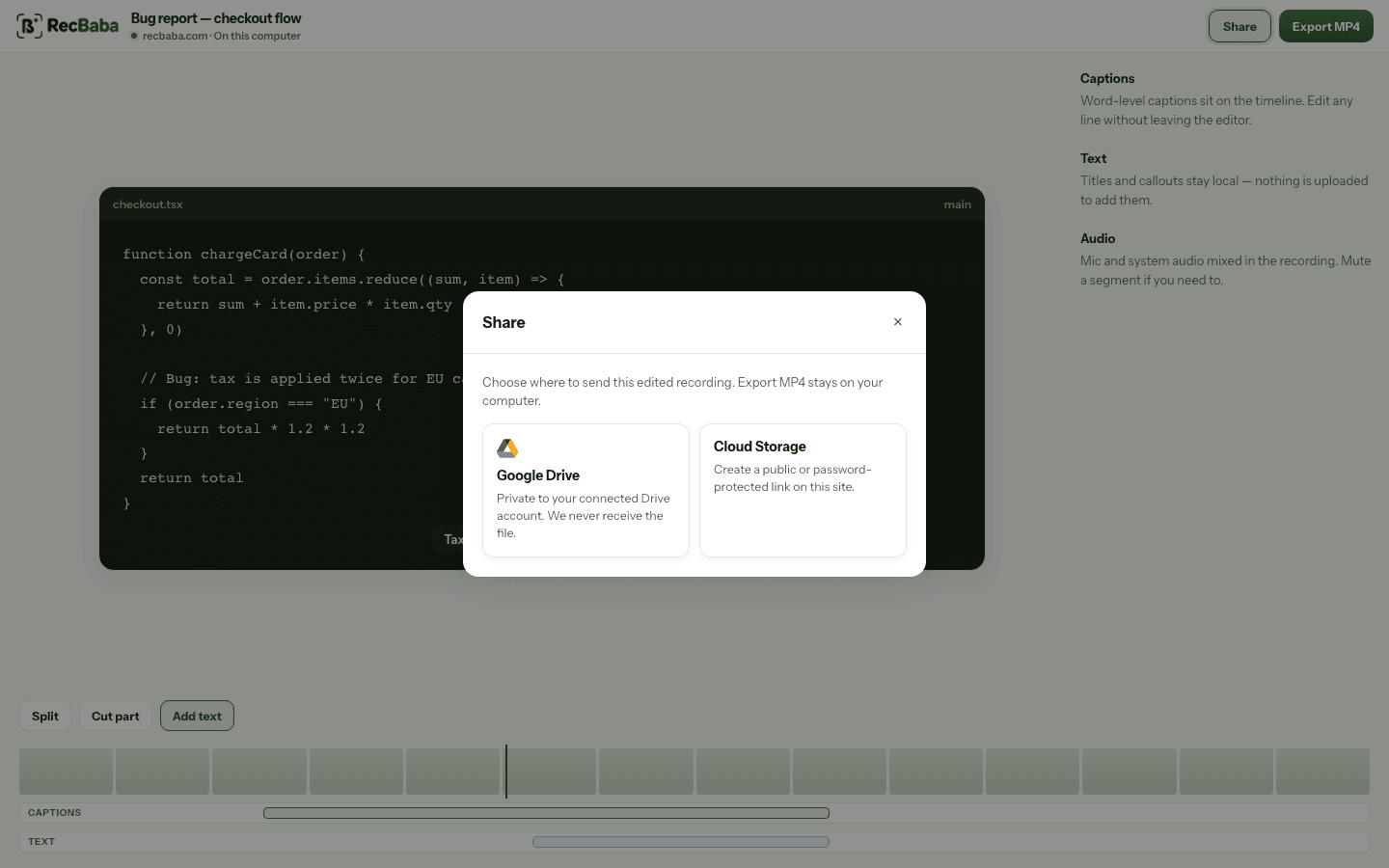
Click Share when a link is actually needed. Until then, the video never leaves the computer that recorded it. Export MP4 stays local and never needs an account.
The product
Recording and editing stay on your device. Sharing is a separate step you start — with a link you control, or none at all.
The overlay stays on the page you're demonstrating. New takes keep the mic and system audio on separate tracks. The file is written to your browser — recording never starts an upload.
Compared with cloud-first tools
What you see here is how the product actually works. Details live on the how privacy works page.
| Capability | RecBaba | Typical cloud-first recorder |
|---|---|---|
| Recording stays on your device | Yes | Rarely |
| Editor opens without an account | Yes | Rarely |
| Upload is a button you press, not a side effect | Yes | Rarely |
| Share links are private — not something anyone can guess | Yes | Usually |
| You can delete a recording and your account | Yes | Usually |
Why this exists
Most recorders start an upload the moment you hit stop. That is useful for chat — and a problem if the screen showed a dashboard, a customer, or a password field.
A sign-in wall to crop five seconds off a clip is the wrong default. Recording and editing here work in the browser, from local storage, before you create an account.
A share is a link you send to people you choose: unlisted, passworded, expiring, and revocable. Search engines stay out, and there is no public directory.
Questions
No. Recording and editing happen in the browser. An account is only needed if you choose to upload a recording to share it.
Capture, trim, and export locally — no account required. Upload only when you click Share, then you control the link: unlisted by default, with password, expiry, and revoke when you need them.