Show a bug or issue
Record the checkout, the admin screen, or the failing state. The clip stays on your computer until you decide a teammate actually needs the link.
4K Screen Recorder
The overlay stays on the page you're showing. Capture up to 4K at 60fps, free, with no watermark and no login. Mic and computer audio mix in the browser. When you stop, the file is on your computer — nothing is uploaded.
Try it
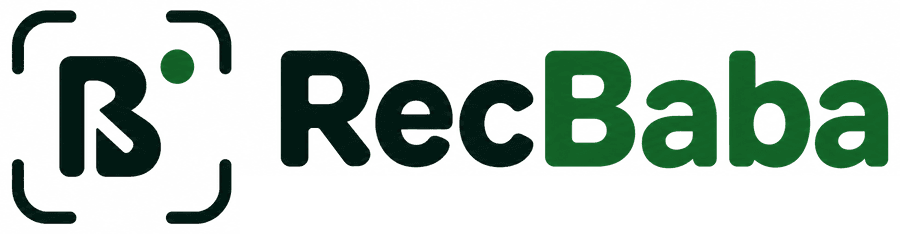
Nothing records from this page. Tab, Window, Screen, audio, quality, and cursor effects work the same way they do in Chrome.
recbaba.com · Click around — this does not record
What to record
Tab unlocks editor effects. Window and Screen keep the real cursor.
Audio
Quality
4K is free — no watermark, no account.
Cursor effects
Added in the web editor for a trackable Chrome tab.
What it records
RecBaba is the same product listed on the Chrome Web Store as Screen Recorder 4K — With Mic & System Audio. Record a browser tab, an application window, or the full display. Enable mic, system audio, or both. Save instantly on this computer as WebM, then trim and export MP4 if you want — still without an account.
When people reach for it
Record the checkout, the admin screen, or the failing state. The clip stays on your computer until you decide a teammate actually needs the link.
Narrate a new screen or a settings page. Mic and computer audio sit in one file so you don’t have to re-record for a missing soundtrack.
Same overlay, same local file. Export an MP4 if people should download it, or share a link if they should watch in the browser.
Also used for
The same 4K capture that works for a bug clip works for longer takes. Free recording time is unlimited at 720p, 30 minutes at 1080p/1440p, and 5 minutes at 4K. No brand baked into the file.
Record the lesson in 4K with your voice on the mic and the tab audio in the mix. Export MP4 locally, or keep the WebM on this computer.
Capture a window or the full display when the work lives outside the browser. Pause and resume without starting an upload.
4K is free. There is no watermark on the export. You decide later whether the file stays local or becomes a link.
What to record
Pick the source that matches the job. You can switch before every take.
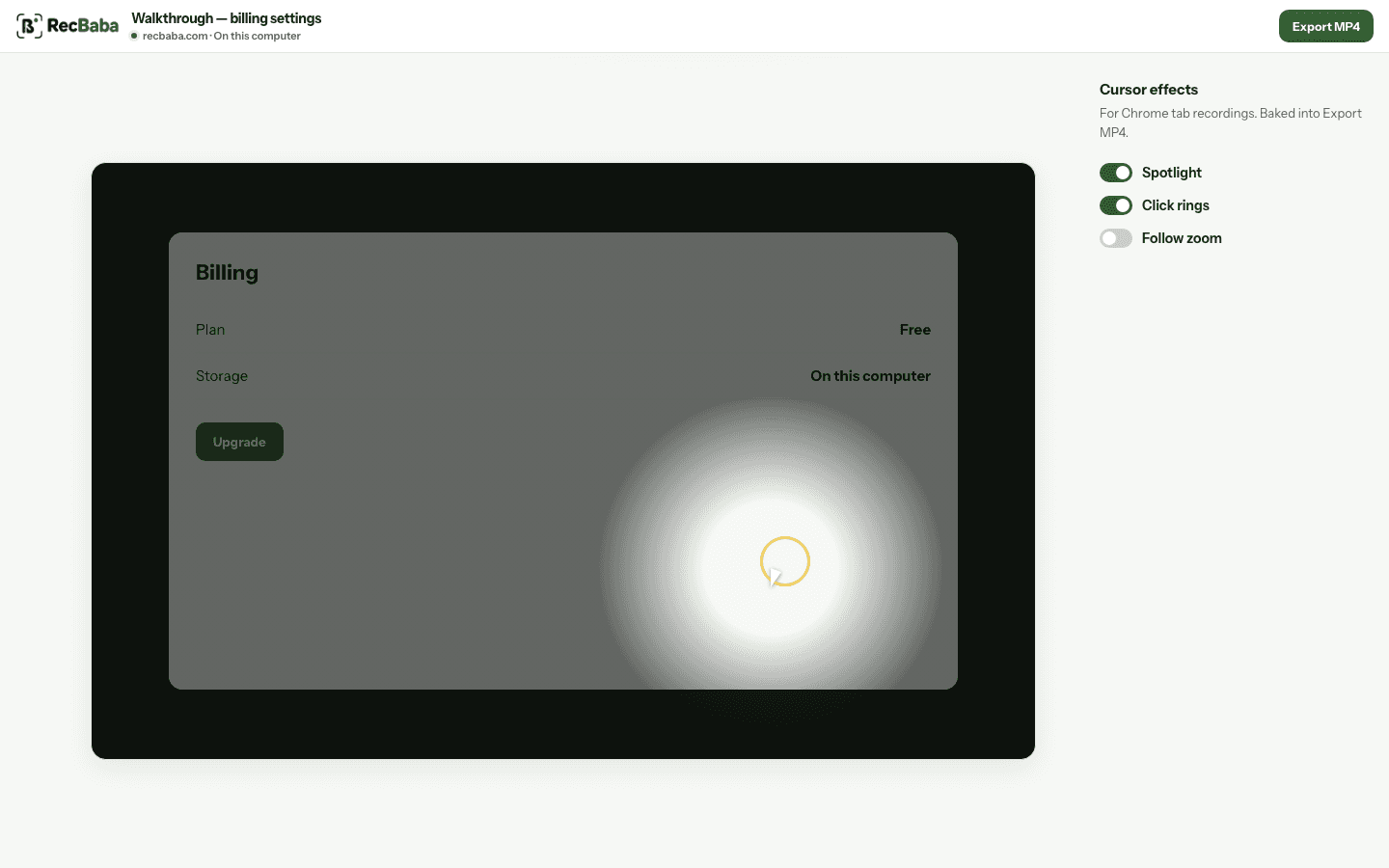
Best for a walkthrough of a website. The editor can add a spotlight, click rings, and a follow zoom later — they are applied when you export, not while you record.
Best when you need an app outside the browser, or the whole display. Your real mouse cursor is captured in the video. Editor cursor effects stay off for these takes.
Quality
Choose a resolution before you start. 4K is on the free plan. No account. Free recording time depends on the real output height: unlimited at 720p, 30 minutes at 1080p/1440p, 5 minutes at 4K.
Cursor effects
Spotlight, click highlights, and zoom are a preference for Chrome Tab recordings. They do not change the captured file. The editor applies them when you export MP4.
Window and Screen keep your real cursor instead. If you want the spotlight or click rings, record a Chrome tab. You can still turn each effect on or off later in the editor.
Capture details
Questions
Short answers for the searches that usually land here. The full FAQ covers sharing and accounts.
Yes. 4K at 30 or 60fps is included on the free plan. Exported videos have no watermark, and you do not need an account to record or export.
Boundaries
The overlay is the product. 4K, mic, and system audio are in the free extension. The rest of the site is optional until you need it.
Start Recording